

A technical SEO audit answers a simple question: can search engines crawl, render, understand, and index your WordPress site, and what is stopping them where they cannot? It does not judge whether your content is good, and it does not promise a ranking. It finds the technical problems first, so that content and promotion work is not wasted on pages search engines cannot reach.
This checklist follows a fix order that matters. Blocking problems — pages that cannot be crawled or indexed at all — come before polish. A fast page that search engines cannot reach helps no one, while a reachable page with a speed problem can still be improved step by step.
Crawl and index first: robots, sitemap, and pages Google actually knows
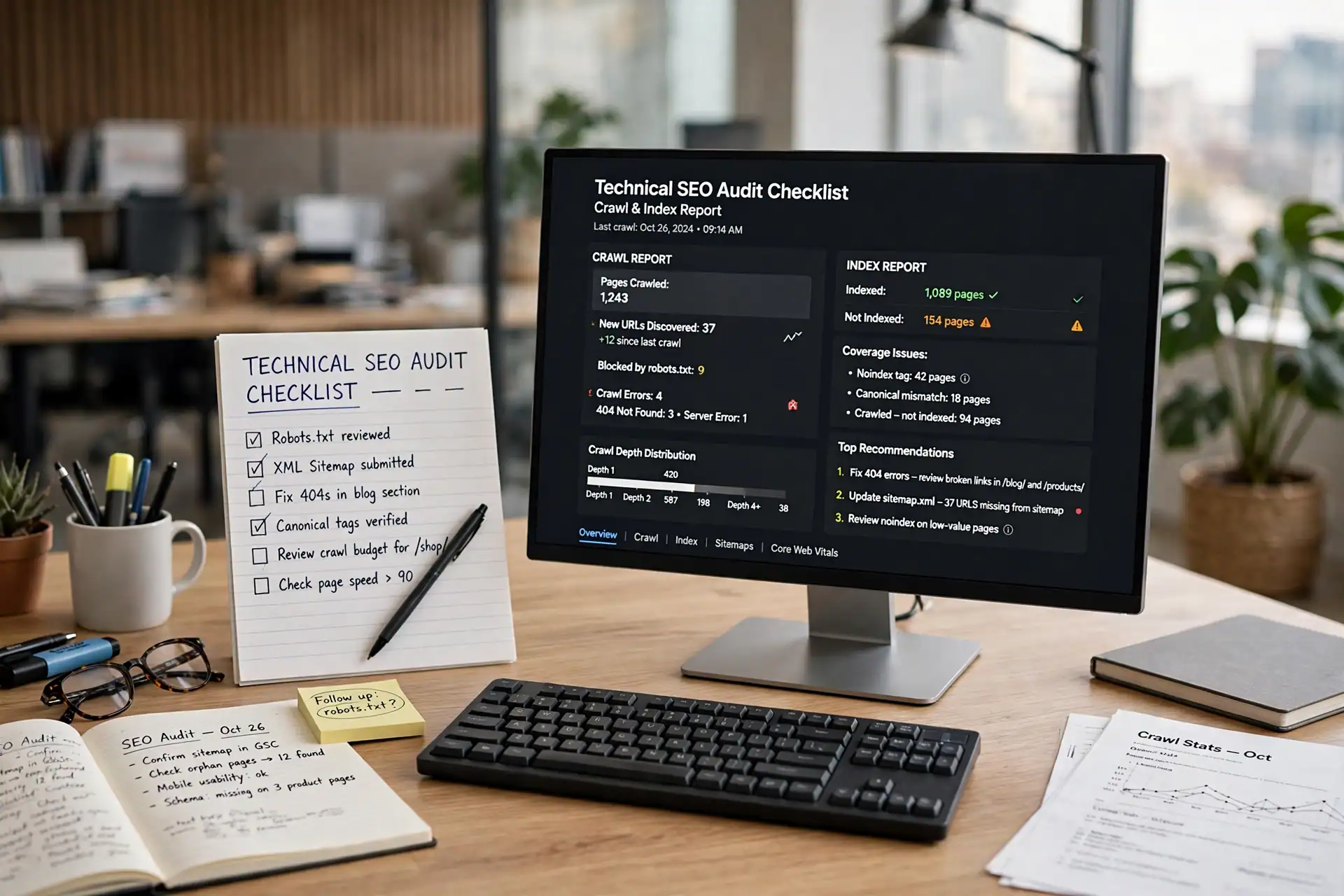
Start with whether search engines can reach the site at all. Check the robots.txt file: it should allow the pages you want found, and block only admin, staging, and other pages that should never appear in search results. A staging copy left open to search engines is a common audit finding, and it creates duplicate versions of the same pages.
Next, check the sitemap. It should list the live pages and posts that matter, and only those — not removed pages, not staging URLs, and not template or form pages that were never meant to be found. Open the sitemap yourself and confirm the URLs in it are live and correct. A sitemap that lists missing pages sends search engines to dead ends.
Then compare the sitemap with what search engines actually know. A search console report shows which pages are indexed, which are excluded, and why. Work through the reasons in groups, not one URL at a time: missing pages that should stay missing, pages excluded by a noindex tag that should stay excluded, and live pages that are discovered but not yet indexed. The last group is the one to watch after fixes, because those pages are already live and already listed — they are waiting on a fresh crawl, not on a new page. For help deciding what a WordPress website should include before you pay for it, see the WordPress website checklist guide, and for the speed side of an audit, see the Website Speed Optimization post.
Canonicals, duplicates, and redirects that quietly split a site
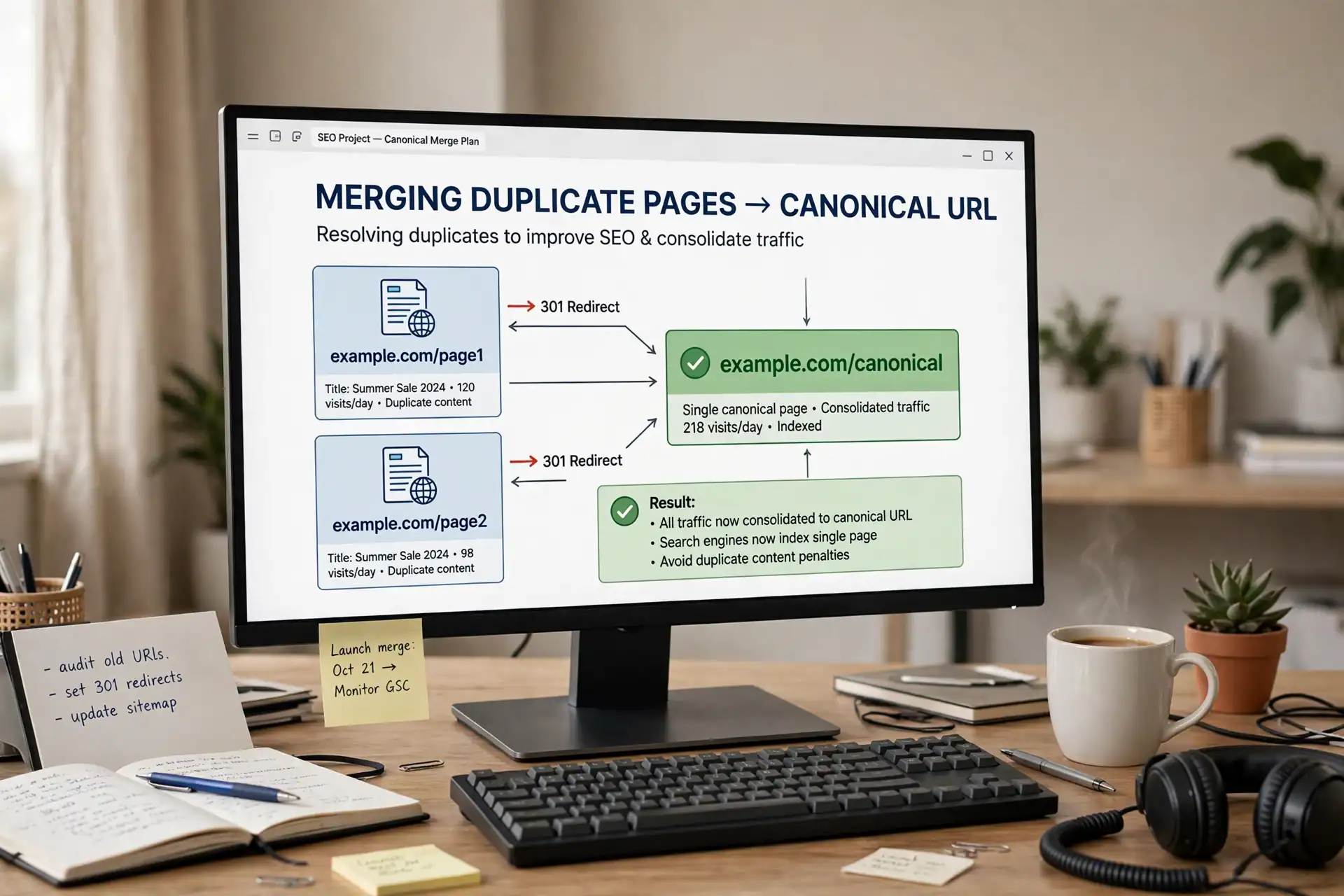
Duplicate content rarely means copied text. More often, it means the same page reachable at more than one address: with and without a trailing slash, with a tracking parameter, through a paged archive view, or through an old URL that was never redirected. Each version splits the signals that should belong to one page.
Check the canonical tag on the main pages: each page should point to its own correct address, and paged or filtered views should not claim to be the main page. Then check redirects: old URLs should point to the right new page, not all to the homepage, and redirect chains — one old URL pointing to another old URL pointing to the final page — should be shortened to a single step. Broken links inside the site matter here too. A link to a missing page inside your own navigation or footer wastes a crawl and frustrates a visitor, and it is usually fixed in minutes once it is listed.
This section is also where a redesign audit belongs. If a site was redesigned without a redirect map, the audit will show it as missing pages and duplicate versions. Fix the redirects before rewriting content, because new content on a page search engines cannot reach cleanly will not perform as it should. For the WordPress redesign decisions behind this, see the WordPress website redesign guide.
Speed, mobile, and Core Web Vitals on the pages that matter

Measure speed on the pages visitors actually use — the homepage and the main service pages — on a phone as well as on a desktop. A single homepage score is not an audit. A service page with large images or heavy scripts can be slow even when the homepage is fast, and mobile visitors are the ones most affected by that difference.
Look at what the measurement actually says, not only at the headline score. The largest contentful paint tells you how long the main content takes to appear. Layout shift tells you whether the page jumps while it loads. Interaction delay tells you whether buttons respond when tapped. Each points to a different fix: oversized images, scripts that block rendering, or elements that move as the page loads. Fix the largest, most blocking problem on the most visited pages first, and re-measure after each change rather than making several changes at once and guessing which one helped.
Mobile checks belong in the same pass. Open the site on a real phone, not only in a desktop preview: complete the enquiry step, read a service page, and check that buttons are tappable and text is readable without zooming. A page that looks right on a desktop preview and breaks on a phone will fail the visitors who matter most.
Internal links, schema, and a fix order that starts with blocking problems
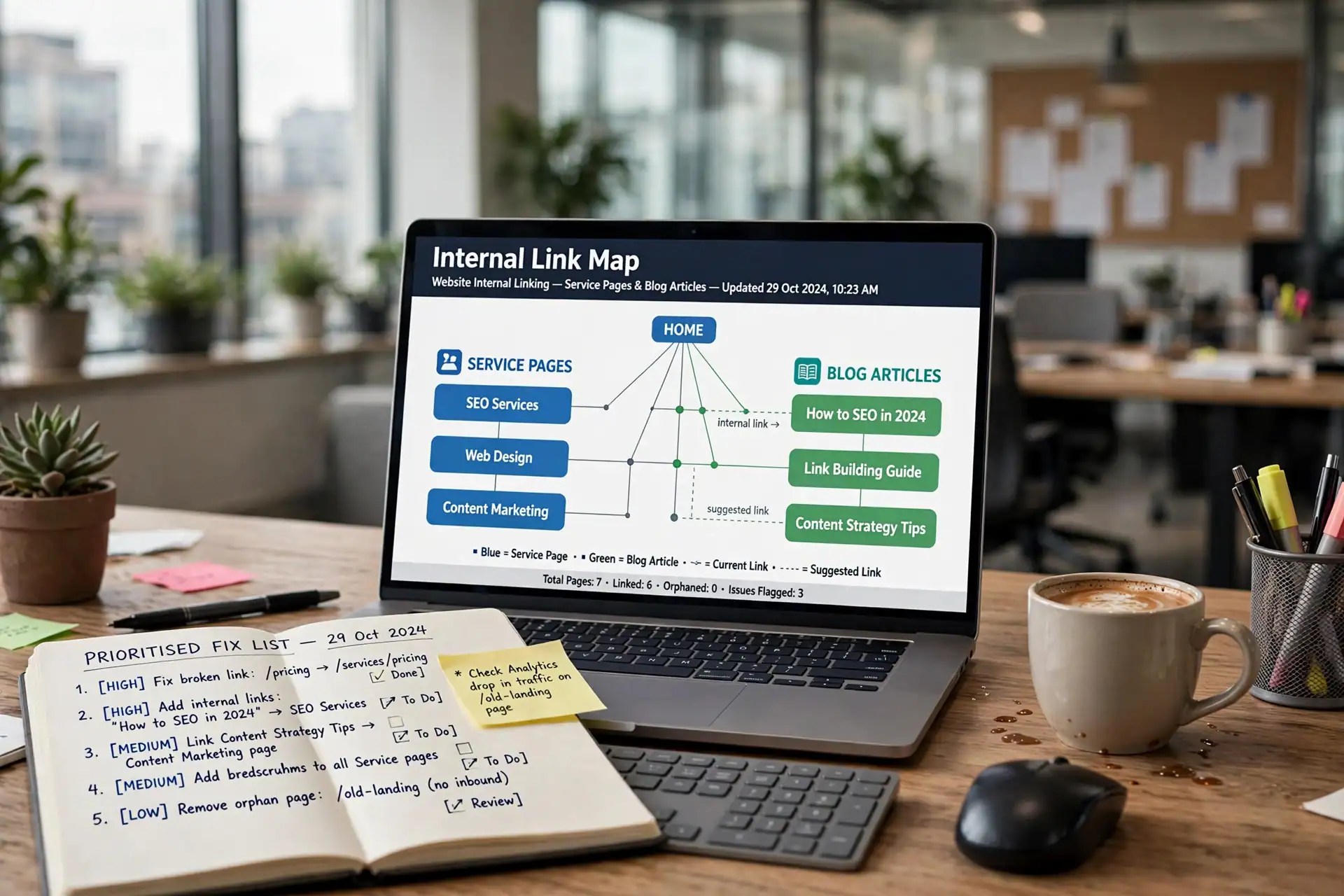
Finish with how the site connects to itself and how it describes itself. Internal links should guide a visitor — and a search engine — from a general page to the specific page that answers the next question. A blog article about a service should link to that service page. A service page should link to the contact page and to related services. Pages with no incoming links from inside the site are hard to find, however good their content is.
Then check structured data, the schema markup that describes a page as an article, a service, or an organisation. It should match what the page actually says, and it should be present on the pages it describes — not copied onto every page regardless of content. Incorrect schema is worse than missing schema, because it describes a page search engines will then judge against that description.
Finally, write the fix list in this order: first, anything that blocks crawling or indexing; second, duplicates, broken links, and redirect errors; third, speed and mobile problems on the most visited pages; fourth, internal-link gaps and schema corrections. An audit that ends with a long, unordered list is rarely acted on. An audit that ends with blocking problems first is a plan, and it is the plan this checklist is meant to produce.
If you want this audit applied to your own WordPress site, contact Etech Develop through the Contact Us page, and for the SEO services behind this checklist, see the SEO Services page and the Services page.